![Kyocera TK-8365 Toner Cartridges [Yellow, Magenta, Cyan]](https://shoptech.co.ke/wp-content/uploads/2022/12/images-11.jpg.webp)
📞 Contact Seller
🔒 Login to Send MessageOR
Phone
Click to reveal
👁️ Show
WhatsApp
Click to reveal
👁️ Show
Telegram
Click to reveal
👁️ Show
Email
Click to reveal
👁️ Show
✓ Pros
- Competitive pricing in Kenyan market
- Currently in stock and available
- Original manufacturer product
- Clear page yield information provided
✗ Cons
- Check product details before buying
- Warranty terms vary by retailer
/product/70/8704603/1.jpg?6045)
/product/35/7665061/1.jpg?3238)

Kyocera TK-8365 Toner Cartridges [Yellow, Magenta, Cyan]
🔒 Login to Save
Get high-quality Kyocera TK-8365 toner cartridges in yellow, magenta, and cyan. Compatible with Kyocera TASKalfa printers, these cartridges offer reliable printing. Trust our original Kyocera toners for your office needs
Key Benefits
High page yield
Reliable printing
Compatible with Kyocera printers
Original quality
Best Price
KSh 25,000
Best deal
Compare Retailers
Singular Office Technologies
Check at checkout
25,000
🔔 Get Price Drop Alert
We'll email you when the price drops below KSh 25,000
📊 Price History (Last 30 Days)
| Date | Price | Change | Trend |
|---|
Features
What's in the Box
Specifications
Reviews
FAQs
Brand Kyocera
Color Yellow, magenta, cyan
Kyocera Tk-8365k Black Toner Page Yield Approximately 25,000 pages at 5% coverage
Kyocera Tk-8365k Yellow, Magenta, Cyan Toner Page Yield Approximately 20,000 pages at 5% coverage
The Kyocera TK-8365 Toner Cartridge is compatible with:
Kyocera TASKalfa 3252ci
Kyocera TASKalfa 4052ci
As a trusted online retailer of original Kyocera toner cartridges, you can trust these Kyocera TK-8365 Toner(yellow,cyan,magenta) Cartridges to print quality pages. We’re proud to offer outstanding levels of service so you can be sure you’ve come to the right place when buying these genuine toner.
Kyocera Tk-8365k Black Toner Page Yield Approximately 25,000 pages at 5% coverage
Kyocera Tk-8365k Yellow, Magenta, Cyan Toner Page Yield pproximately 20,000 pages at 5% coverage
Features:
- Excellent Image Quality Offered By Advanced Toner And Colour Technology.– Increased Productivity Due Higher Printer Reliability.– Maximum Printer Life And Full Guarantee Protection.– Environmental Standard Compliance And Less Excess Waste.
TheKyocera TK-8365 Toner Cartridgeis compatible with:
Kyocera TASKalfa 3252ciKyocera TASKalfa 4052ci
Box contents not listed yet.
No specifications available yet.
Log in to post a review.
Is this compatible with my printer?
+
Check the product specifications for compatible printer models. Always verify compatibility before purchasing to ensure the ink/toner works with your specific printer model.
How many pages can I print with this?
+
Page yield varies by cartridge/bottle. Check the specifications for estimated page yield. Actual yield depends on print content, coverage, and print settings.
Is this original or compatible ink/toner?
+
Product description will indicate if it's original manufacturer ink or compatible third-party ink. Original cartridges typically cost more but guarantee compatibility, while compatible options can offer savings.
How do I install the ink/toner?
+
Installation process varies by printer model. Most modern printers have easy-access ink tanks or cartridge slots. Refer to your printer's manual or the product's "What's in the Box" section for installation guides.
Similar Products You Might Like
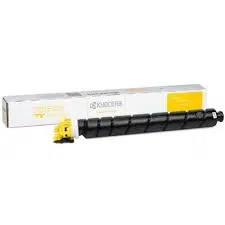
Kyocera TK-8375Y Original Yellow Toner
KSh 23,000
KSh 2,000 cheaper

KYOCERA ORIGINAL TK-8375C CYAN TONER CARTRIDGE
KSh 23,000
KSh 2,000 cheaper
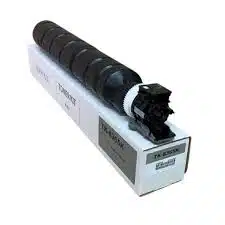
Kyocera TK-8365 Original Black Toner Cartridges
KSh 20,000
KSh 5,000 cheaper

Kyocera TK-8735k Black Original toner cartridge
KSh 30,000
KSh 5,000 more
Kyocera TK-8525 cyan Toner Cartridge
KSh 19,000
KSh 6,000 cheaper
Kyocera TK-8525M Original Toner Cartridge-Magenta
KSh 19,000
KSh 6,000 cheaper