📞 Contact Seller
🔒 Login to Send MessageOR
Phone
Click to reveal
👁️ Show
WhatsApp
Click to reveal
👁️ Show
Telegram
Click to reveal
👁️ Show
Email
Click to reveal
👁️ Show
✓ Pros
- Competitive pricing in Kenyan market
- Currently in stock and available
- High page yield for cost savings
- Original manufacturer product
✗ Cons
- Check product details before buying
- Warranty terms vary by retailer
/product/63/8704603/1.jpg?6825)
/product/92/1675523/1.jpg?0643)
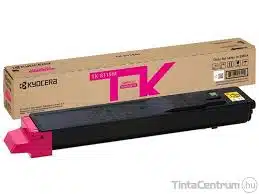
Kyocera TK-8115M Original Magenta Toner Cartridge
🔒 Login to Save
Get high-quality prints with the Kyocera TK-8115M Magenta Toner Cartridge, designed for Kyocera TASKalfa series. It offers a high yield of 6,000 pages and weighs 0.64 kg. Ideal for office use in Kenya.
Key Benefits
High yield of 6,000 pages
Compatible with Kyocera TASKalfa series
Original toner for maximum durability
Ecologic printing
Best Price
KSh 16,000
Best deal
Compare Retailers
Singular Office Technologies
Check at checkout
16,000
🔔 Get Price Drop Alert
We'll email you when the price drops below KSh 16,000
📊 Price History (Last 30 Days)
| Date | Price | Change | Trend |
|---|
Features
What's in the Box
Specifications
Reviews
FAQs
The cartridge has a high yield of approximately 6,000 pages at an average coverage of 5%,
The TK-8115M Magenta Toner Cartridge is designed to work with the following Kyocera TASKalfa series printers:
Kyocera ECOSYS M8124cidn
Kyocera ECOSYS M8130cidn
Toner cartridge weight: 0.64 kg (640 g)
Original toner: Thanks to the innovative technology, the genuine toner by Kyocera provides not only high-quality prints, but also long-term energy and cost savings
Ecologic printing: Only original toners ensure the maximum durability of the device. TTK-8115M in magenta prints 6,000 pages according to the ISO norm 19752
Scope of delivery: Kyocera 1T02RRBNL0 TK-8115M toner cartridge in magenta with original packaging. Including installation guide and a disposal bag for the empty toner cartridge
Low-cost print solution: Empty Kyocera toners contain significantly less remaining toner powder than alternative toners. Increasing printing efficiency and reducing printing costs
Modern toner technology: Kyocera toner cartridges are designed for all Kyocera (colour) laser printers as well as multifunction printers and can be replaced very quickly and easily
Box contents not listed yet.
No specifications available yet.
Log in to post a review.
Is this compatible with my printer?
+
Check the product specifications for compatible printer models. Always verify compatibility before purchasing to ensure the ink/toner works with your specific printer model.
How many pages can I print with this?
+
Page yield varies by cartridge/bottle. Check the specifications for estimated page yield. Actual yield depends on print content, coverage, and print settings.
Is this original or compatible ink/toner?
+
Product description will indicate if it's original manufacturer ink or compatible third-party ink. Original cartridges typically cost more but guarantee compatibility, while compatible options can offer savings.
How do I install the ink/toner?
+
Installation process varies by printer model. Most modern printers have easy-access ink tanks or cartridge slots. Refer to your printer's manual or the product's "What's in the Box" section for installation guides.
Similar Products You Might Like

Kyocera TK-6705 Black Toner Cartridge
KSh 18,000
KSh 2,000 more
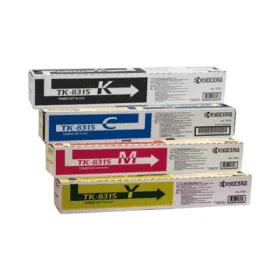
Kyocera TK-8315 Original Toner Cartridge price per piece
KSh 19,000
KSh 3,000 more

Kyocera TK-8505K Black Toner Cartridge
KSh 12,000
KSh 4,000 cheaper
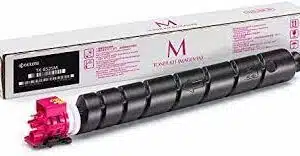
Kyocera TK-8525M Original Toner Cartridge-Magenta
KSh 19,000
KSh 3,000 more
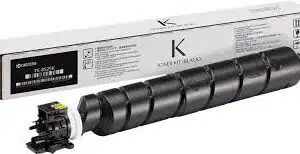
Kyocera TK-8525K Original Toner Cartridge Black
KSh 16,000
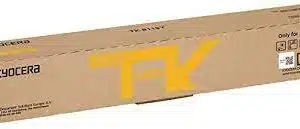
Kyocera TK-8115Y Yellow Toner Cartridge
KSh 16,000